
A portfolio website is a digital space where individuals and businesses showcase their work, skills, projects and achievements. It helps visitors understand what you do, explore your previous work and evaluate your experience before contacting you.
Whether you are a photographer, designer, web developer, architect, freelancer or creative professional, a portfolio website can help you present your work to a wider audience.
In this article, we explore what a portfolio website is, its different types, useful portfolio website examples and creative portfolio website design ideas to help you understand how to build an effective online portfolio.
What Is a Portfolio Website?
A portfolio website is a website designed to display an individual's or company's work, projects, skills and professional experience. It acts as an online showcase where potential clients, employers or collaborators can explore previous work and understand the services offered.
Unlike a general business website, which may focus on company information and services, a portfolio website gives more importance to visual presentation, project details and work samples.
For example:
-
- A photographer can display photographs from previous shoots.
- A graphic designer can showcase logos, branding and creative designs.
- A web developer can present websites and applications they have built.
- An architect can display building designs, floor plans and completed projects.
- A freelancer can highlight completed assignments and client work.
What Are the Different Types of Portfolio Websites?
Portfolio websites can be created for different professions, industries and creative fields. The layout and content depend on the type of work being presented.
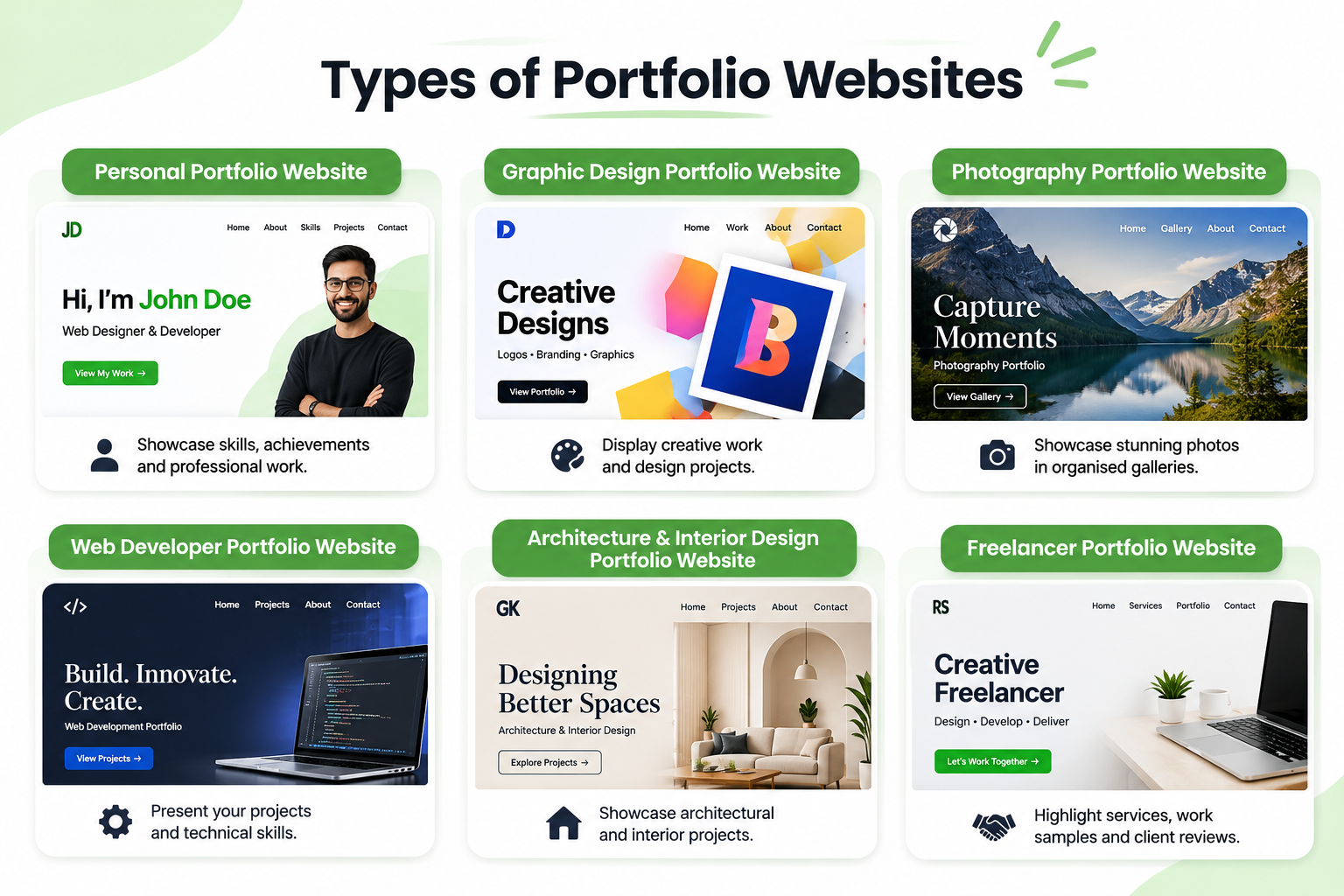
1. Personal Portfolio Website
A personal portfolio website showcases an individual's skills, qualifications, achievements and professional work. It is useful for students, job seekers, freelancers and professionals who want to establish an online presence.
Common features:
-
- Personal introduction and professional background.
- Skills and qualifications.
- Project samples and achievements.
- Resume or downloadable profile.
- Contact information.
2. Graphic Design Portfolio Website
A graphic design portfolio website displays creative work such as logos, illustrations, branding materials, advertisements and digital graphics.
Common features:
-
- Image galleries and project collections.
- Brand identity and logo design samples.
- Before-and-after design presentations.
- Project descriptions and creative processes.
- Categories for different design services.
3. Photography Portfolio Website
A photography portfolio website allows photographers to display their photographs and organise their work into different categories.
Common features:
-
- High-quality photo galleries.
- Wedding, portrait, product or event photography categories.
- Full-screen image displays.
- Client testimonials.
- Booking and enquiry forms.
4. Web Developer Portfolio Website
A web developer portfolio website presents websites, applications and technical projects created by a developer. It helps potential employers and clients understand their development skills and experience.
Common features:
-
- Completed website and application projects.
- Project descriptions and technologies used.
- Links to live projects.
- GitHub or other relevant profiles.
- Contact and professional information.
5. Architecture and Interior Design Portfolio Website
An architecture or interior design portfolio website showcases building projects, room designs, 3D visualisations, layouts and completed interiors.
Common features:
-
- Project galleries with high-quality photographs.
- Floor plans and design concepts.
- Before-and-after project images.
- Project details, locations and descriptions.
- Categories for residential and commercial projects.
6. Freelancer Portfolio Website
A freelancer portfolio website highlights services, work samples, professional experience and client projects. It helps independent professionals demonstrate their abilities and attract potential clients.
Common features:
-
- Introduction and service descriptions.
- Previous work and case studies.
- Client reviews and testimonials.
- Pricing or service packages where appropriate.
- Contact and project enquiry forms.
Portfolio Website Examples: What Makes a Good Portfolio?
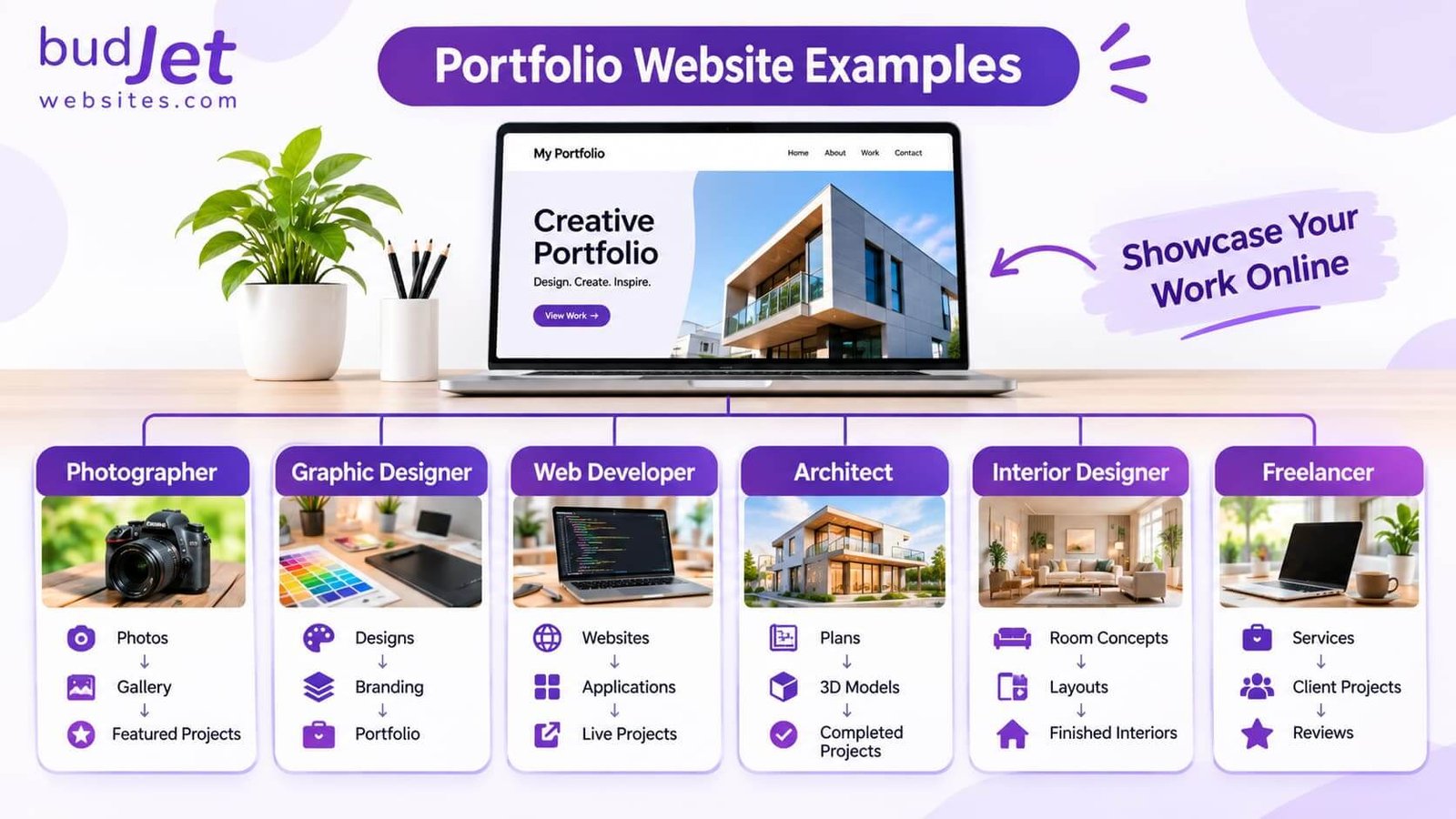
Exploring portfolio website examples can help you understand how different professionals organise and present their work online.
Here are some examples of how a portfolio website can be structured:
Simple hierarchy for WordPress:
-
Photographer: Photos → Gallery → Featured Projects
-
Graphic Designer: Designs → Branding → Portfolio
-
Web Developer: Websites → Applications → Live Projects
-
Architect: Plans → 3D Models → Completed Projects
-
Interior Designer: Room Concepts → Layouts → Finished Interiors
-
Freelancer: Services → Client Projects → Reviews
Creative Portfolio Website Design Ideas
1. Minimalist Portfolio Design
Use simple typography, neutral colours and white space to keep attention on your projects.
2. Grid-Based Portfolio Layout
Arrange projects in rows and columns with images, titles and short descriptions.
3. Full-Screen Image Portfolio
Use large, high-quality images to highlight photography, architecture and interior design work.
4. Dark Theme Portfolio Design
Combine dark backgrounds with light text for a bold and modern appearance.
5. Case Study-Based Portfolio
Showcase projects through client requirements, design processes and final results.
6. Interactive Portfolio Design
Add subtle hover effects, animations and interactive previews to engage visitors.
7. Personal Branding Portfolio
Use consistent colours, typography, professional photos and an introduction to build your identity.
8. Responsive Portfolio Design
Ensure images, menus and project layouts adapt smoothly to mobile, tablet and desktop screens.
Important Pages to Include in a Portfolio Website
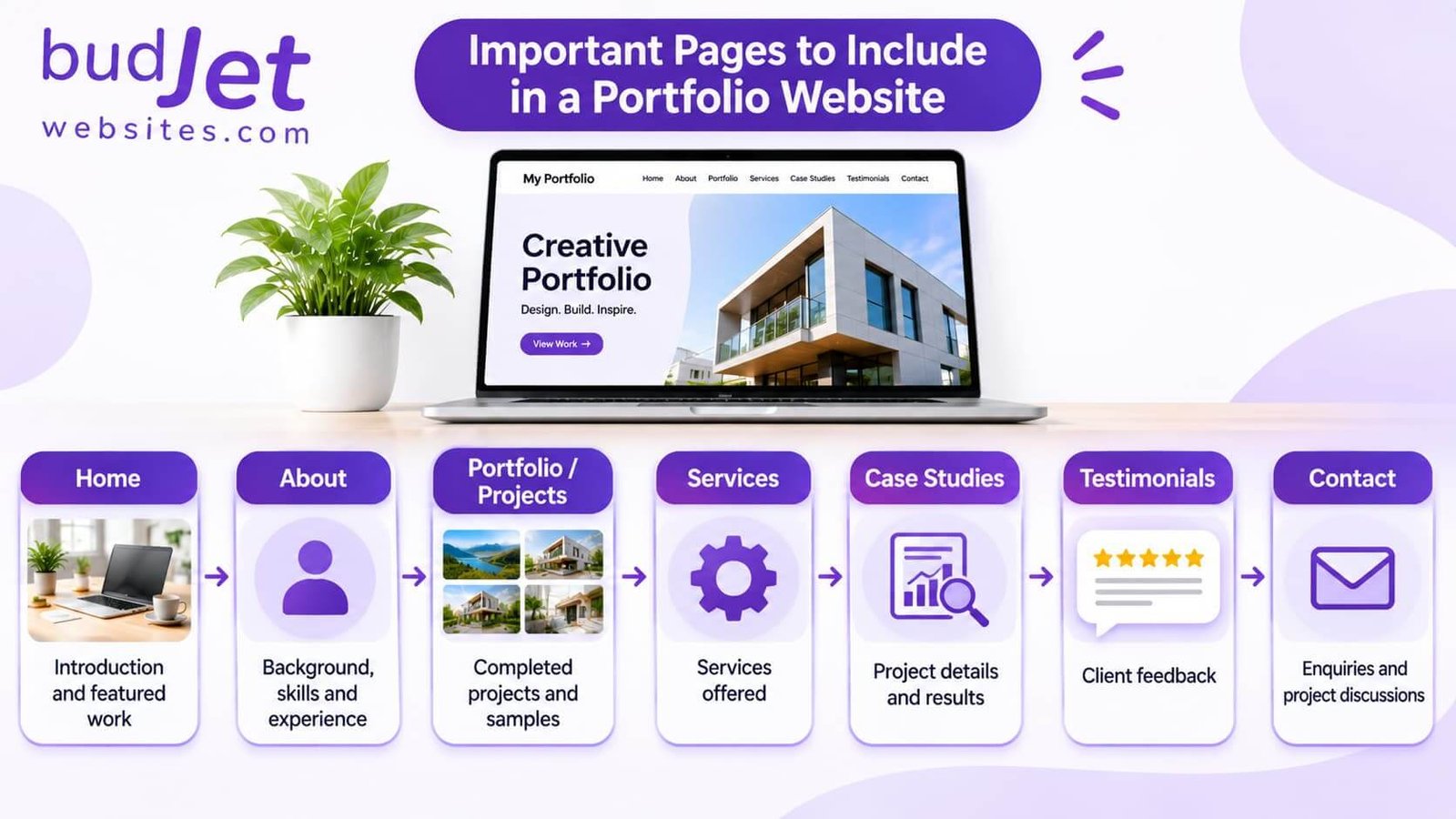
A portfolio website can follow this simple structure:
Home → About → Portfolio / Projects → Services → Case Studies → Testimonials → Contact
-
Home: Introduction and featured work
-
About: Background, skills and experience
-
Portfolio: Completed projects and samples
-
Services: Services offered
-
Case Studies: Project details and results
-
Testimonials: Client feedback
-
Contact: Enquiries and project discussions
What Makes an Effective Portfolio Website?
Consider these important elements:
- Relevant projects: Display work that reflects your skills and the type of projects you want to attract.
- High-quality images: Use clear and appropriately sized images to present your work professionally.
- Simple navigation: Organise projects and pages so visitors can explore them easily.
- Project descriptions: Explain the purpose, process and outcome of important projects.
- Consistent branding: Maintain similar colours, fonts and visual styles throughout the website.
- Mobile responsiveness: Ensure the portfolio works properly on different devices.
- Clear contact options: Include enquiry forms, email details or other suitable contact methods.
How to Create a Portfolio Website
- Choose your portfolio focus: Decide which profession, skills or services you want to showcase.
- Collect your best work: Select relevant projects, photographs, designs or completed assignments.
- Plan the website structure: Decide which pages and sections you need.
- Choose a design style: Select a layout, colour palette and typography that suit your work.
- Add project details: Include descriptions, images and relevant project information.
- Make it responsive: Check that the website works across mobile, tablet and desktop screens.
- Add contact options: Make it easy for potential clients or employers to reach you.
Conclusion
A portfolio website is an effective way to showcase professional skills, creative work and completed projects online. From personal and photography portfolios to graphic design, development and architecture portfolios, each type can use a different structure and visual style.
Explore different portfolio website examples and choose a portfolio website design that presents your work clearly, reflects your professional identity and makes it easy for visitors to contact you.
At Budjet Websites, we build WordPress websites with professional layouts, responsive designs and useful features for different business and professional requirements. If you are planning to create an online portfolio, get in touch to discuss your website needs.